Here is the step-by-step process you can follow after logging into the admin panel to do recruitment management online:
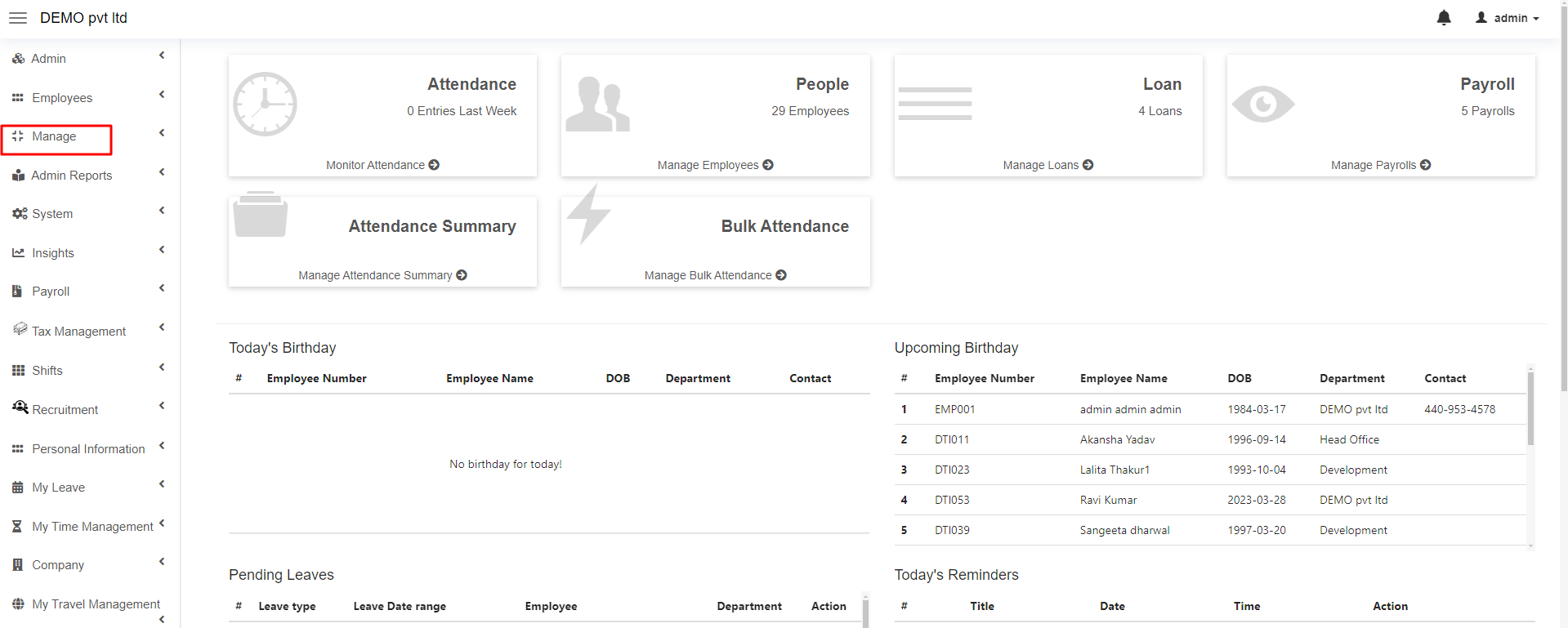
1. First, go to the “Manage” Module.
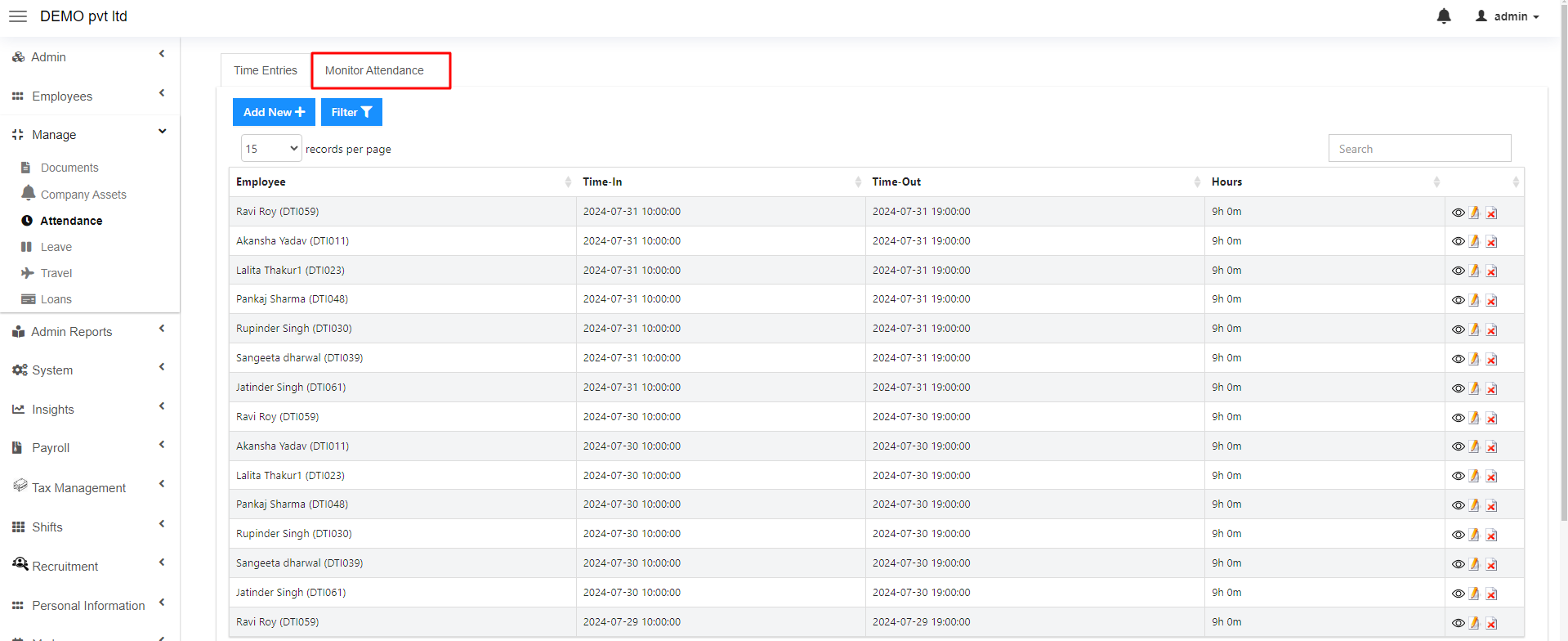
2. Here you will find the “Attendance” sub-module, simply click on it.
3. Now ,in this interface, you will find two options, simply click on the “Monitor Attendance” section.
4. Here, proceed by clicking on the “Attendance Summary” section.
5. In this interface, you can see the “Select Columns” section, here simply select the columns whose attendance you want to show such as present, week off, holiday etc and proceed by clicking on the “Submit” button. (If you want to select all the columns, click on “select all” options in the dropdown).
6. Here you can see all the columns you selected in the previous step.
Here is the step-by-step video tutorial on how to show and hide columns in summary after logging into the admin panel.
Fill out the form by mentioning all the required details.